Sharing Web Links To Your Itinerary
If you have someone who can't use Tripsy, for example they're on a platform that we don't yet have a version of Tripsy available for (e.g. Android, Windows, Linux) then you can share a web link with them so they can still see a read-only version of your trip's itinerary.
Things like reservation codes and cost of activities excluded to protect your privacy. However, seat numbers are visible and as such we strongly recommend not sharing these links with people you don't trust.
TIPS:
- This is also helpful if you need to open your own itineraries on Android or any other platform where Tripsy isn't available.
- Tripsy doesn't yet have a way to print your itinerary, but you can print from this web link or generate a PDF to then save and print.
Creating Web Links
- Open the trip in question
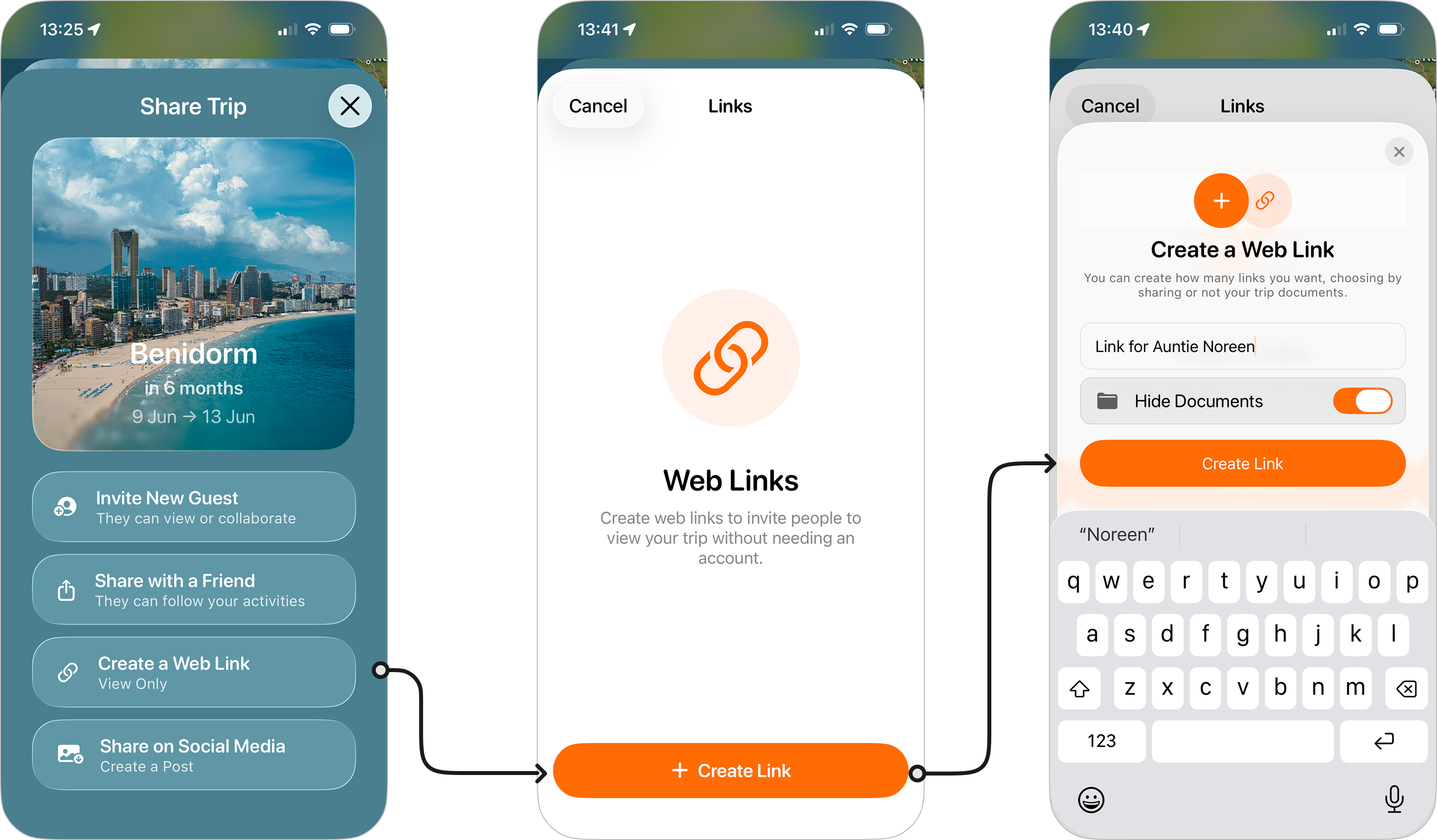
- Tap the three dots at the top-left of the screen and choose Share Trip
- Tap Create a Web Link
- Tap + Create Link
- Give your link a name (e.g. New York Trip - View Only)
- Check Hide Documents if you don't want any of the trip documents to be visible.
- You'll now have the choice to either
- Share Link: This will bring up the share sheet so you can send the link directly via messages, mail, or any other supported app (e.g. Signal, WhatsApp, Teams).
- Copy Link: This copies the link to your clipboard, great if you want to paste this into a message you're already working on.
When you click the x at the top right of the share panel, you'll see this new link is shown alongside any other links you've created for that trip. Tapping on a particular link will pop-up the share sheet again.
Removing Links
To remove a created link:
- On iPhone and iPad: Swipe left on the link in question and tap Remove.
- On Mac: Right-click on the link and choose Remove.