Smart Insights
Tripsy PRO Feature: Smart Insights requires an active subscription to Tripsy PRO or our Lifetime PRO purchase. You can find out more about Tripsy PRO here
Tripsy has let you store documents and emails related to your activities for a long time, but now thanks to Apple Intelligence we can pull helpful information from those documents to give you a quick summary of important and helpful information without having to dig into each document.
For example, things like a hotel's cancellation policy can be highlighted, as well as any requirements of how tickets should be presented, baggage information for flights and other forms of transport, and details of any booked meals.
How to View Smart Insights
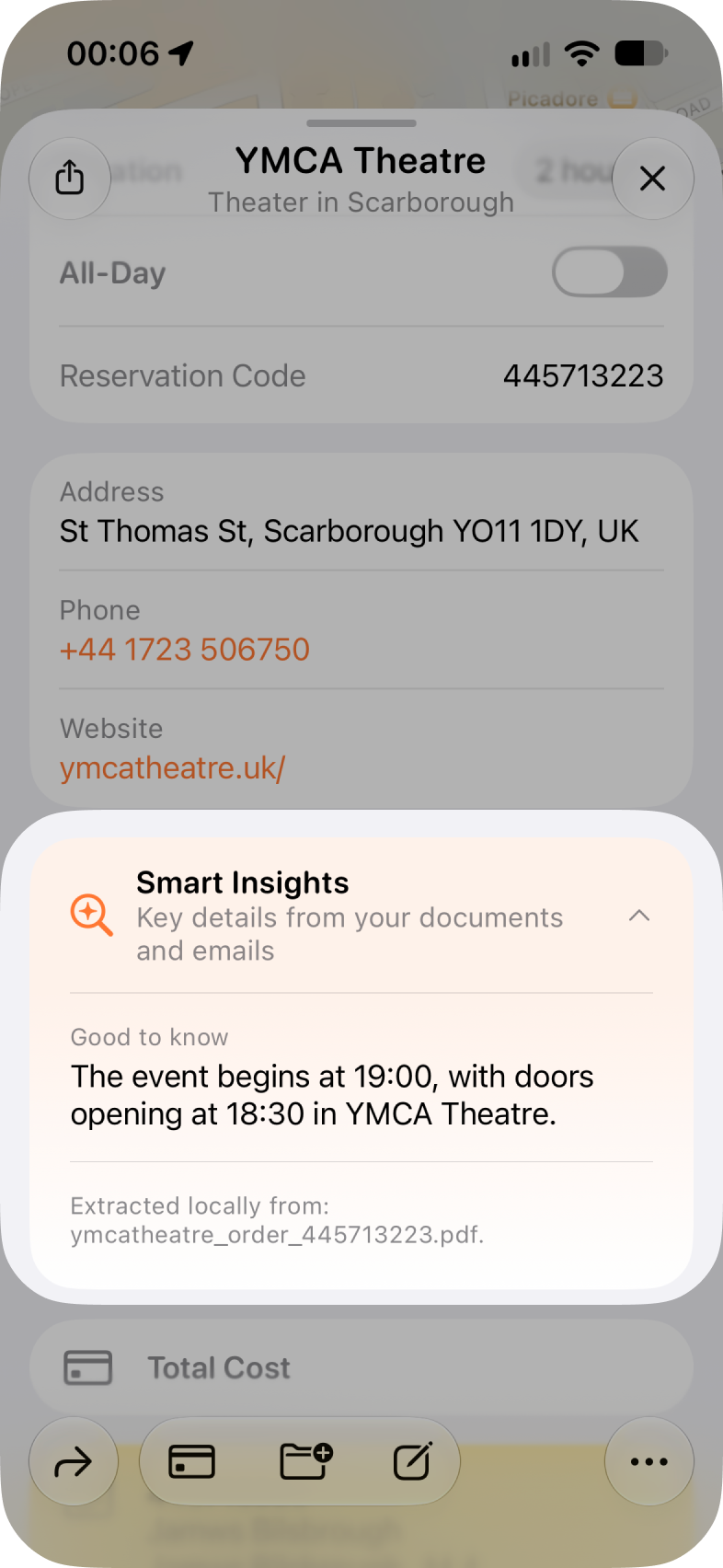
Smart Insights are generated for any activities that have either documents or emails attached to them. You can access these by going into the activity in question, and you will see that the insights show below the main activity details as such:
Deleting Smart Insights
If you want to remove the smart insights from a particular activity, you can do so by doing the following:
- Go into the activity
- Tap the more actions menu (three dots) at the bottom right)
- Choose Clear document information
Reprocessing Smart Insights
If something doesn't look quite right in the smart insights for an activity, you can try reprocessing the information, and our support team may well ask you to do this if you flag any issues. To reprocess:
- Go into the activity
- Tap the more actions menu (three dots) at the bottom right)
- Choose Reprocess information
Frequently Asked Questions
- What devices support Smart Insights?
- Any iPhone, iPad, or Mac that supports Apple Intelligence and is running iOS 27 can be used to generate the smart insight summaries for activities.
- Do my documents and emails get processed in the cloud or with third-party AI tools?
- No, Smart Insight uses on-device only 'Foundation Models' and none of this processing is done in the cloud and uses only Apple Intelligence.
- The Smart Insights don't contain the right infomation, or have miscategorised infomation from the document in question, what can I do?
- We're constantly working to improve how Smart Insights are generated, so please do reach out to us via Settings > Talk to Us with as much detail as possible and we can investigate and resolve any issues.