Changing Your Password
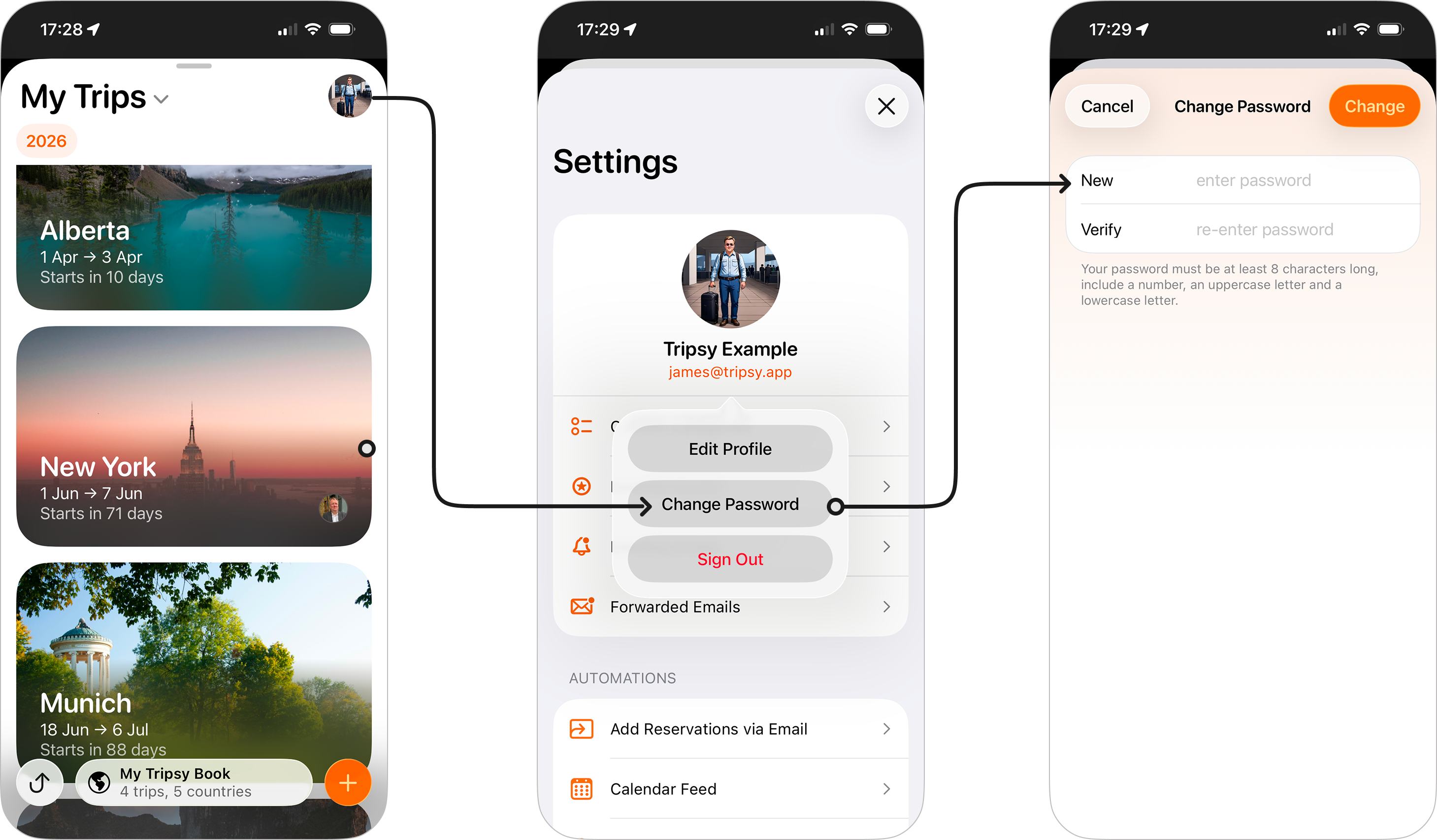
Regardless of how your Tripsy account was created you can change your password by doing the following:
- Open Tripsy
- Go to Settings by tapping on your profile icon at the top-right of the trips list
- Tap on your email address and choose Change Password
- You'll be asked to provide your new password and then enter this new password to verify.
- Once done, tap Change and your new password will be saved to your account.
Password Requirements
When setting your password, you'll need to follow the following guidelines:
- Your password can’t be too similar to your other personal information, e.g. your chosen name on your Tripsy account.
- Your password must contain at least 8 characters.
- Your password can’t be a commonly used password found in password dictionaries.
- Your password can’t be entirely numeric, so must contain both letters and numbers.
Of course, we recommend this is a unique password that isn't used elsewhere and would not be easy to guess by a potential attacker. Not sure if your chosen password may be vulnerable? You can check this with Have I Been Pwned which checks any password securely and privately against known data breaches.
There are some great password management apps, including Apple's own Passwords app, and we currently recommend this, BitWarden, or 1Password to help keep your online accounts secure.
Frequently Asked Questions
- I setup my account using Sign in With Apple do i have a password?
- Not by default, but you can set a password for your account by following the steps above. This will allow you to authenticate with Tripsy in places where 'Sign in with Apple' isn't available - for example our CLI tools and the SetApp version of Tripsy.
- Does my password expire?
- No, we don't set password expiries on your account, instead we recommend ensuring your password is unique and secure as we detail above.