Creating Other Activities at a Stay
If you’re staying at a hotel or similar accommodation that also offers meals or other actives such as a coffee shop, a bar, fitness club, etc. then we have a handy feature that allows you to create separate activities that won’t impact the details of your stay at the hotel or other accommodation.
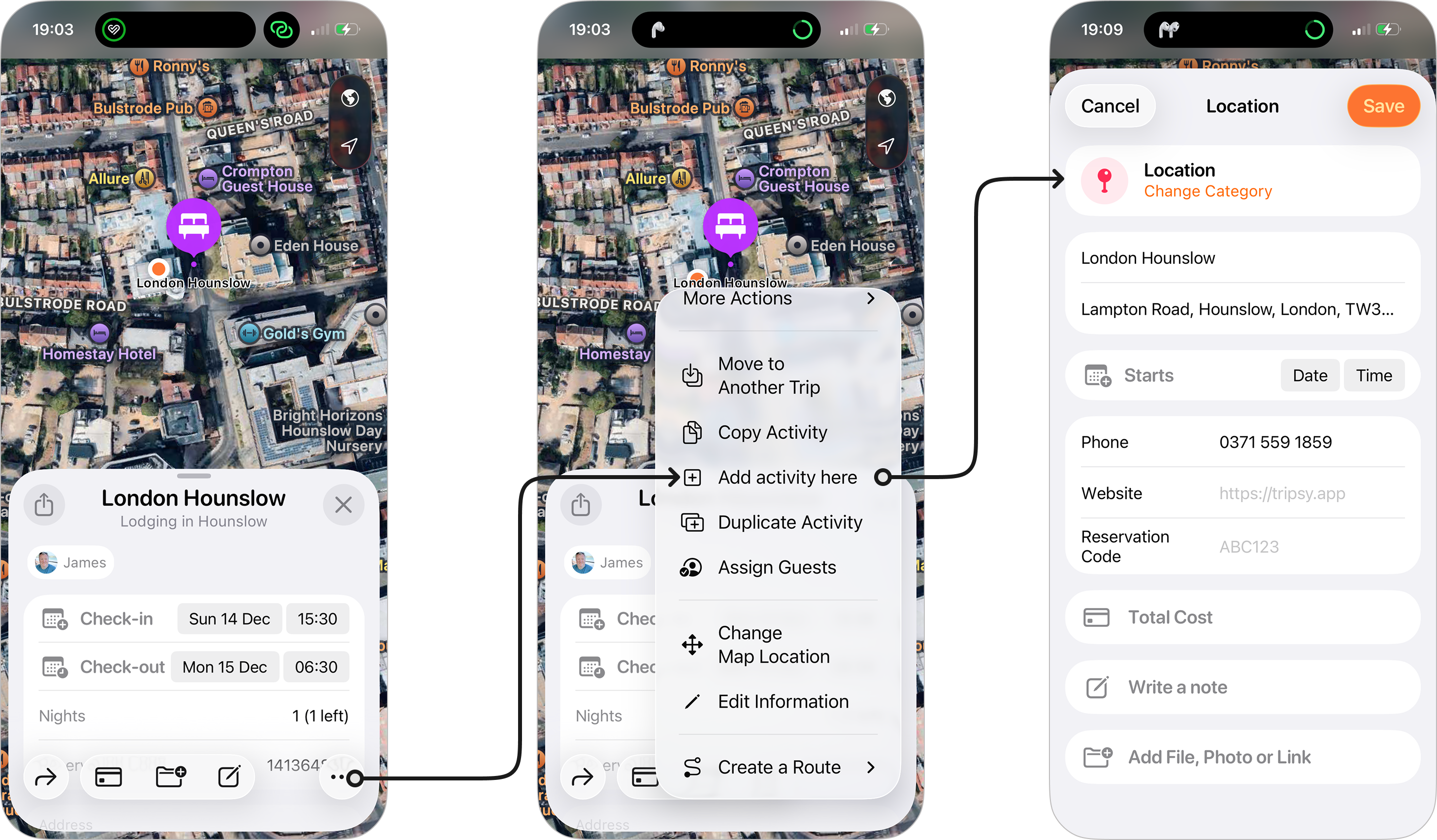
To add another activity at the same location as your stay:
- Open activity in question from your itinerary.
- Tap the three dots at the bottom right of the activity.
- Tap Add Activity Here.
- You’ll see the new location screen appear, here you can change the category using the Change Category option underneath the default category of ‘Location’.
- Once you’ve chosen a suitable category, you can add a date and time for the activity as well as any details such as cost, reservation numbers if applicable, and add any files, links, or photos that may be relevant to the activity.
- When you’re happy tap Save and a new activity with your chosen category and details will be saved to your itinerary for the same address as your stay.
Please Note The newly created activity will be assigned to all guests, even if the original stay was assigned to specific guests.