Get a Weather Forecast for Your Trip
Tripsy PRO Feature: Weather forecasts require an active subscription to Tripsy PRO or our Lifetime PRO purchase. You can find out more about Tripsy PRO here
Don't let weather ruin your perfectly planned trip, with Tripsy PRO you can get a weather forecast for each day of your trip starting from up to 10 days before the day in question.
We'll always show the weather at the top of the Itinerary section of your trip for the current or next day, but you have some options to customize this.
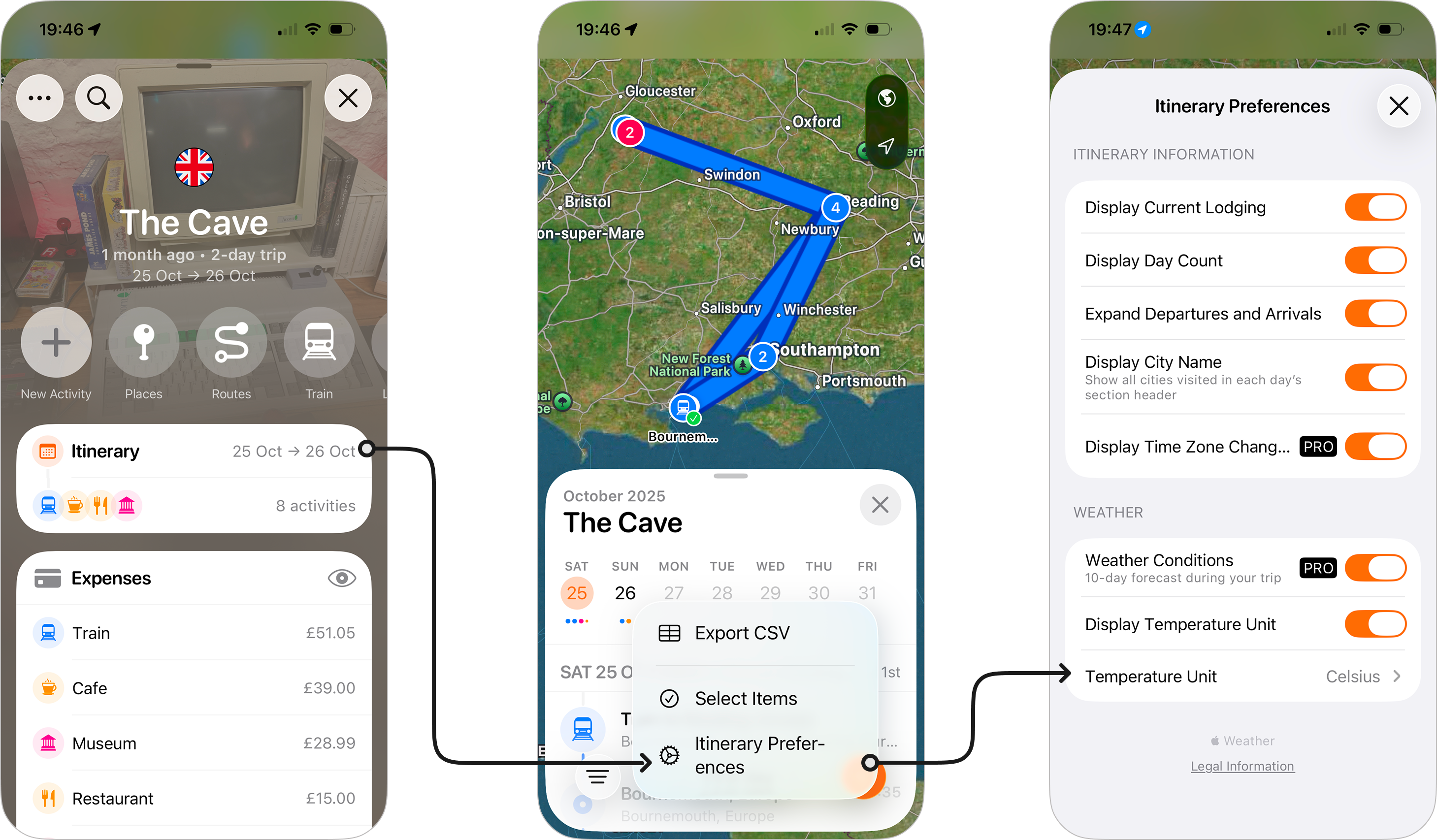
- Open your trip and go into the Itinerary.
- Tap on the three dots at the bottom of the page.
- Select Itinerary Preferences.
- You'll see options for:
- Weather Conditions: This is enabled by default if you have Tripsy PRO and will show weather conditions for each day of your trip, starting from 10-days before the date in question. Turning this off will disable the weather conditions when you're in the full itinerary view.
- Display Temperature Unit: This will show the temperature unit (°C / °F) next to the temperature.
- Temperature Unit: Allows you to choose if you want the temperature to be shown in Celsius or Fathrenheit.