Hiding Past Trips from Your Trips List
If you want to only see current and upcoming trips, rather than ones from the past, you can hide all past trips by going to Settings > Trips Timeline and then checking Hide Past Trips.
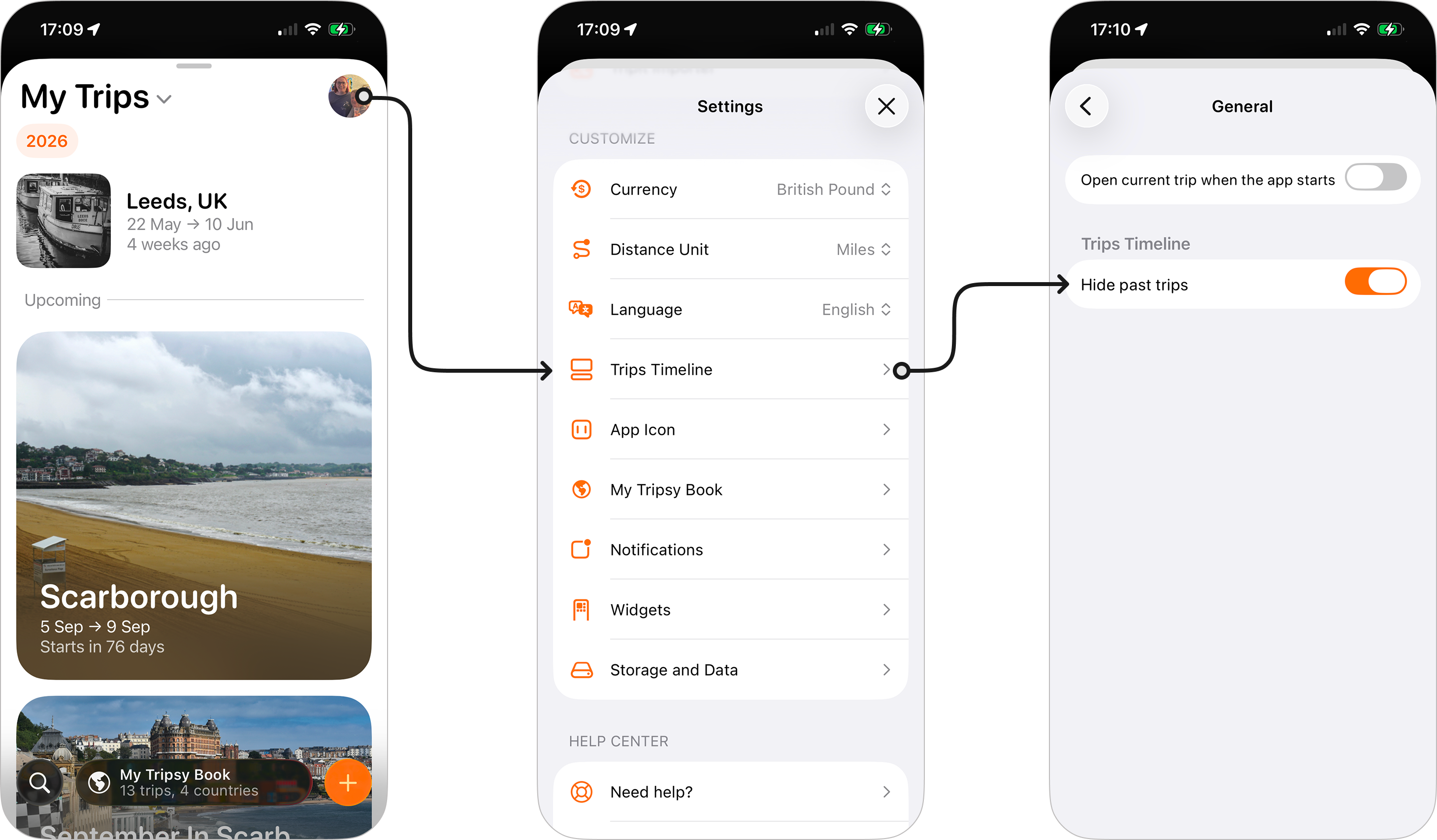
Whilst this will hide the trips from the trips timeline, you can still use the search feature to find past trips, and of course they'll still be counted in your My Tripsy Book stats.